





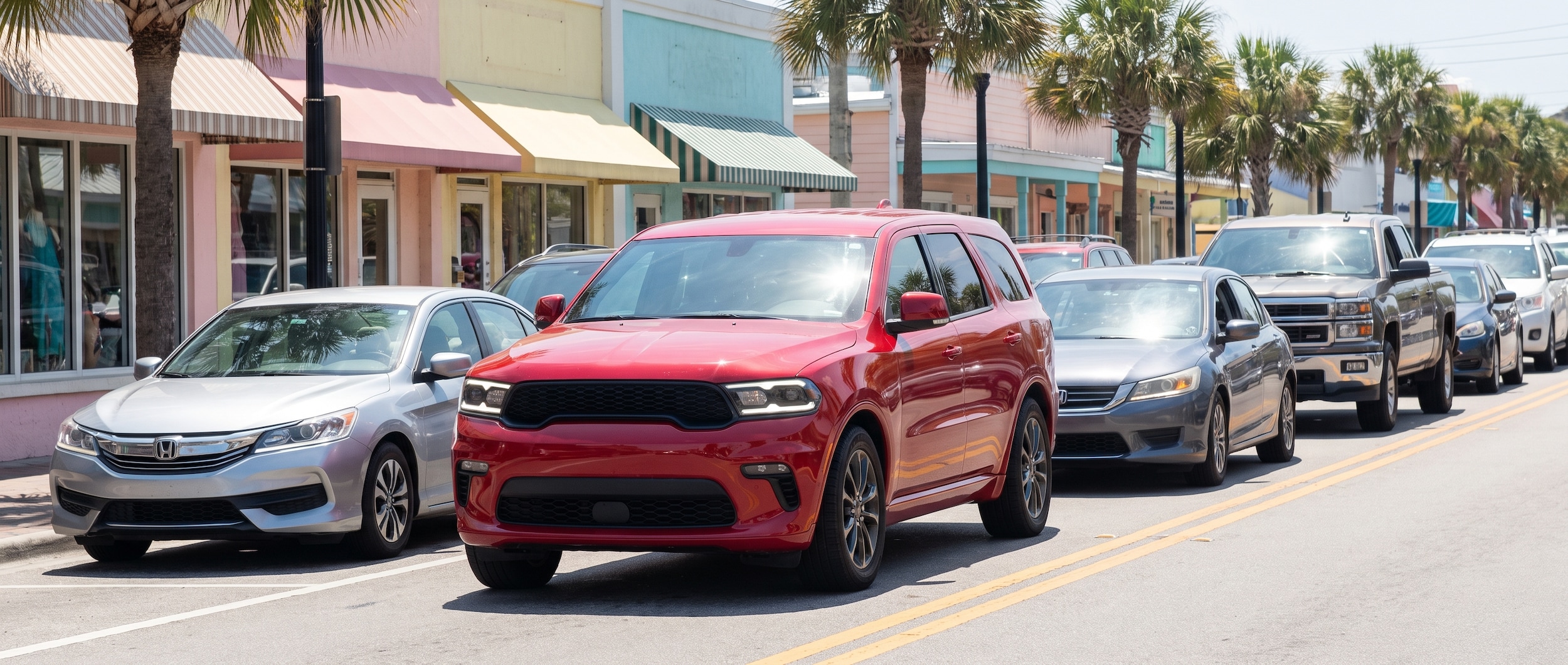
Panama City Beach on the Fourth of July weekend: over 150,000 people, a construction zone on U.S. 98, and Front Beach Road running at a near standstill from midmorning until well after the fireworks. If your Dodge Durango's temperature needle has been creeping toward the red during that kind of stop-and-go, the short answer is this -- your cooling system is being asked to work harder than it was designed for under those conditions, and a handful of specific, fixable components are almost always responsible.
This is not a "my Durango is about to blow up" situation in most cases. It's a predictable physics problem with a clear diagnosis path.
Schedule a pre-holiday service check before you head into the holiday weekend traffic if the gauge has moved at all this summer.
What's Actually Going On With Your Cooling System in Stop-and-Go Traffic?
When your Durango moves at highway speed, ambient air pushes through the grille and over the radiator constantly -- that airflow does a significant share of the cooling work. In stop-and-go traffic on Front Beach Road, that airflow disappears. Your electric cooling fans have to carry the entire load. Add full A/C on a 90-degree July afternoon with a full cabin of passengers, and the thermal demand spikes. A cooling system that was functioning "well enough" at highway speed can expose a weak link the moment the Durango sits at idle in July heat.
The table below maps the symptom pattern to the most likely cause and the right first action.
| Symptom | Most Likely Cause | What To Do First |
|---|---|---|
| Gauge climbs at idle, drops when moving | Cooling fan not running at full speed or intermittently failing | Check that both fans spin freely and engage when A/C is on; inspect fan relay |
| Gauge climbs, heater blows cold at idle | Low coolant or air trapped in cooling system | Check coolant level; have system bled (burped) properly |
| Gauge climbs, coolant reservoir overflows when stopped | Weak or faulty radiator cap not holding pressure | Replace radiator cap; inspect for coolant loss pattern |
| Gauge climbs during heavy traffic even with fans running | Partially clogged radiator reducing flow at low speed | Have radiator inspected with an infrared thermometer for cold spots |
| Gauge climbs only when towing a boat or trailer | Heat load exceeds standard cooling capacity | Use the Durango's Tow mode; inspect transmission cooler; verify tow package cooling |
The Most Likely Culprit: Your Cooling Fan System
The fan circuit is the single most common reason a Dodge Durango runs hot at idle but cools right back down once the Durango gets moving on the highway. At speed, you don't need the fans -- the air does the work. Parked in a line of cars on Thomas Drive at noon, the fans are the only thing standing between a normal operating temperature and an overheat event.
On the Durango's dual-fan setup, the fans are supposed to engage at a higher speed anytime the A/C compressor is running. Cooling fans can experience intermittent failures where they test fine in a shop at idle but don't activate consistently under the combined load of full A/C, a warm engine, and sustained stop-and-go operation. That intermittent failure pattern is exactly what PCB Fourth of July traffic exposes -- the Durango moves a few feet, stops for two minutes, A/C cranks, the fans hesitate.
The secondary suspect is coolant system air pockets. After any cooling system service -- a flush, a thermostat replacement, a hose repair -- air trapped in the system disrupts flow at low RPM. This shows up as a gauge that climbs at idle while the heater simultaneously blows cold air, because the heater core is starved of coolant flow along with the radiator. A proper bleed procedure resolves this, but it requires running the engine until the thermostat opens and bleeding air from the system completely.
Why Engine Choice Doesn't Change the Risk
The Dodge Durango's 3.6-liter Pentastar V6 (standard on the GT trim) and the 5.7-liter HEMI V8 (standard on the R/T) both rely on the same fundamental cooling architecture. Neither engine is particularly fragile, but neither one forgives a sustained overheat. Running hot long enough will stress head gaskets, and that moves this from a minor fix to a major one.
Browse the current Dodge Durango lineup if your Durango has high mileage and this summer is its second or third episode with the temperature gauge.
Book a cooling system inspection -- our service team sees this pattern every summer and can pressure-test the system, check fan operation under load, and verify coolant concentration in one visit.
A word on the temperature warning light: If the temperature warning light comes on or the gauge hits the red zone while you're in traffic, pull over safely, shift into park, and turn the engine off. Do not open the radiator cap when the engine is hot. Let it cool for at least 30 minutes before checking coolant level. Adding cold water to a hot engine can crack the block. The light is a hard stop -- not a "I'll deal with it when I get back to the hotel" situation.
Before You Head to the Beach: A Fourth of July Durango Prep Checklist
Check these off before the holiday weekend and you eliminate most of the scenarios in the table above.
- [ ] Check coolant level in the overflow reservoir (should be between MIN and MAX when cold)
- [ ] Inspect the coolant color -- it should be bright (orange or green depending on your Durango's spec), not brown or rust-colored
- [ ] Confirm both cooling fans spin freely by hand with the engine off and cool
- [ ] Verify the radiator cap seals properly and shows no cracks or a smashed rubber seal
- [ ] Top off windshield washer fluid (you'll use it clearing salt spray and highway road film)
- [ ] Check tire pressure -- underinflated tires increase rolling resistance, which adds heat and fuel consumption in slow traffic
- [ ] Confirm your A/C is blowing cold; a refrigerant-low A/C compressor cycles more and adds electrical load
- [ ] Clear any debris (bugs, grass, beach sand) from the front of the radiator and the grille opening
- [ ] If you're towing a boat or PWC: engage Tow mode before entering beach traffic, not after the gauge starts moving
When You Can Handle It Yourself vs. When to See the Service Team
Some of these fixes are genuinely straightforward, and some are not. Here's where the line is.
Handle yourself: Topping off coolant with the correct spec fluid (Dodge specifies HOAT or OAT coolant depending on model year -- check your owner's manual, not a generic jug). Replacing a radiator cap -- the cap itself is an inexpensive part and straightforward to swap when the engine is cold. Cleaning debris from the radiator face. Checking that the fan relay fuse is intact.
Get the service team involved: Any time the gauge has hit the red or the warning light has come on -- even once. A proper cooling system pressure test to rule out a slow leak. Bleeding (burping) the cooling system after any prior service. Fan replacement or relay diagnosis under load. Radiator inspection for internal blockage. Thermostat replacement. These jobs require the right tools and, critically, a proper bleed procedure afterward -- an improperly bled cooling system will put you right back in the same situation.
Beat the Traffic Before It Beats Your Cooling System
Your Durango's routing choices matter as much as the cooling system. Front Beach Road (FL-30) runs directly along the beach and is typically the most congested corridor during peak summer weekends -- and the Fourth of July is peak summer. Hutchison Boulevard (FL-392A, known locally as Middle Beach Road) runs parallel and provides a real alternative through the center of the city. Thomas Drive, while also busy, moves faster than Front Beach Road during beach rush hours. Arriving before 9 a.m. or after 8 p.m. means your Durango spends far less time at idle, which is the actual condition the cooling system is stressed by.
Check pre-owned inventory if you're thinking about moving to a newer Durango with more recent cooling system service history before peak season.
Frequently Asked Questions
Is it normal for a Dodge Durango's temperature to go up slightly in stop-and-go traffic?
Some gauge movement is normal when the Durango sits at idle in high ambient heat with the A/C running at full load. The gauge should stay in the normal operating range -- typically the middle of the gauge -- and should drop back toward center when the vehicle starts moving or the fans cycle up. A gauge that climbs steadily toward the red during idle, or that does not return to normal when moving, points to a specific component that needs attention: most commonly the cooling fan system, a low coolant level, or a partially clogged radiator.
How do I know if my Durango's cooling fans are actually working?
With the engine at operating temperature and the A/C on, you should be able to hear both fans running. From outside the vehicle (engine off, ignition on, A/C engaged), some Durango owners can verify fan operation by listening near the grille -- the electric fans should activate when the A/C compressor kicks on. A shop can test fan operation under load conditions with a scan tool, which is more reliable than an idle-only check, since some fan failures are intermittent and only show up under the combined thermal and electrical load of sustained stop-and-go driving.
Categories:
Social